
Smart Toilet Troubleshooting: Safe Checks Before You Call for Service
Safe smart toilet troubleshooting starts with three questions: Is there an electrical or water hazard? What exactly stopped working? What does the current manual say for this model? Stop using the toilet if you see active leaking near electrical parts, smoke, sparks, a burning smell, unusual heat, damaged wiring, repeated GFCI or breaker trips, or a bowl that is rising toward overflow. Internal electrical, pressurized-water and mechanical repairs belong to qualified service professionals.
If there is no immediate hazard, work from the outside in. Record the model, visible message and last successful function. Then check household power, household water, accessible external connections, settings, sensors and controls without opening the toilet. One symptom can have several causes, so change only one safe condition at a time.

Smart Toilet Troubleshooting at a Glance
| Symptom | Safe user-level checks | Stop and escalate when |
|---|---|---|
| No lights or controls | Confirm a household outage, dry accessible plug condition and one manual-approved GFCI/breaker check | Protection trips again, outlet is hot, cord is damaged or any area is wet |
| No flush | Check outage status, accessible water valve position and the manual's alternate flush control | Bowl level rises, blockage is suspected, leak appears or internal parts must be reached |
| Weak or incomplete flush | Allow the model's normal refill time; check for a visibly kinked supply and whole-home water change | Problem repeats, drain symptoms occur or a hose, filter, pump or valve would need removal |
| Remote or sensor not responding | Replace remote batteries, clear external obstructions and review mode or lock settings | Manual pairing fails or sensor access requires opening the product |
| Wash, heat or dryer issue | Review temperature, energy-saving, occupancy and feature-enable settings in the manual | There is overheating, leakage, an error code or a persistent fault after approved checks |
The table is a triage tool, not a substitute for the selected model's manual. Smart toilets use different sensors, pumps, tanks, valves, error codes and reset procedures. Never borrow a button sequence from another model.
1. Stop First if Water and Electricity May Meet
Do not touch the plug, receptacle, cord, toilet controls or surrounding wet floor when a leak is near electrical equipment. Keep people away and have the circuit and water isolated by someone who can do so safely. Smoke, sparks, burning odor, buzzing, visible cable damage or unusual heat also requires immediate shutdown and qualified electrical or product service.
A GFCI is a protective device, not a repair button. The U.S. Consumer Product Safety Commission explains that GFCIs are intended to reduce severe shock risk near water. If an accessible dry GFCI can be checked under the product manual and household instructions, reset it only once. A second trip is evidence to stop, not permission to keep resetting.
2. Identify the Exact Failure
“Not working” is too broad for useful diagnosis. Test only normal controls and note which functions still work: display, lid, side panel, remote, flush, washing, seat heat and dryer. Record any code or flashing pattern exactly, without translating it from memory. Also note whether the problem followed a power outage, water shutoff, cleaning, maintenance, plumbing work or a change in household water pressure.
Find the model number and current manual before resetting anything. The manual should define normal startup delay, occupied-seat behavior, energy-saving modes, child or lock settings, emergency-flush operation and approved maintenance. If the manual does not authorize an action, treat it as service work.

3. Check Power Without Opening the Toilet
First confirm whether the home or bathroom has lost power. If the floor, plug and receptacle are dry and undamaged, verify that the plug is fully seated using dry hands. Check the relevant breaker or GFCI according to household instructions and the product manual. Do not use an extension cord as a diagnostic workaround, and do not move the toilet to reach concealed wiring.
If another outlet appears to work, that does not prove the smart-toilet circuit is correct. Repeated trips, a warm receptacle, discoloration or intermittent power needs an electrician. Never remove a cover, probe voltage or bypass grounding or ground-fault protection.
4. Check Water Supply From the Outside
Confirm that other cold-water fixtures work normally. Look at the accessible toilet shutoff and compare its position with the manual; do not force a stuck valve. Inspect the visible supply hose for a kink, crushing or leakage. If water was recently shut off, allow the building supply to stabilize and follow the model's documented restart procedure.
Do not remove a hose, filter, valve or cover while the system is pressurized. A weak flush or missing wash function can reflect supply conditions, a blockage or an internal component, and external observation cannot safely separate all three. Persistent symptoms need a plumber or authorized service diagnosis.
5. Check Settings, Remote and Sensors
Replace remote batteries with the type and orientation specified by the manufacturer. Confirm that a lock, energy-saving mode or feature setting has not changed. Remove only obvious external obstructions from the remote receiver, lid sensor or foot-sensor area using the approved care method. Do not cover, tape, reposition or dismantle a sensor to make a feature trigger.
Some washing, heating or automatic functions operate only when the seat detects an occupant or after a normal delay. Test them exactly as the manual describes. If the remote requires pairing, use only the model-specific sequence. A sequence found for a visually similar toilet may change settings or hide the real fault.
6. If the Smart Toilet Is Not Flushing
Watch the bowl level before doing anything else. If it rises or drains unusually slowly, stop flushing and call a plumber because repeated activation can cause overflow. If the bowl level is normal, confirm power and water status, wait the normal refill interval and try one alternate flush control that the manual identifies.
A powered toilet may offer side-button, remote, foot-sensor, automatic or outage-specific flushing, but availability varies. A working button with a failed auto flush points toward a control or sensing issue; no response from any method may involve power, water or an internal fault. That comparison is useful information for support, not a reason to open the fixture.
7. If Wash, Nozzle, Heat or Dryer Functions Fail
Verify that the feature is enabled and that its temperature or pressure level is not set to off. Review energy-saving behavior and seat-occupancy requirements. For a nozzle issue, follow only the manual's user-cleaning position and approved materials. Do not pull a nozzle out by force, use a sharp object or add a descaling chemical unless the manufacturer explicitly instructs it.
If washing stops while flushing still works, record that separation. If heat or drying produces an odor, unusual temperature or error code, stop using powered comfort functions and seek service. The safe goal is to isolate the symptom, not to reach the component.
Use Reset Only as a Documented Step
A reset can clear a temporary control state, but it cannot repair a leak, damaged cord, blocked drain, failed valve or unsafe circuit. Use the exact model procedure and waiting time. If the manual permits a power cycle and there are no wet, hot or damaged conditions, perform it once. Repeating resets can erase useful observations and delay proper service.
ST01 Troubleshooting Reference
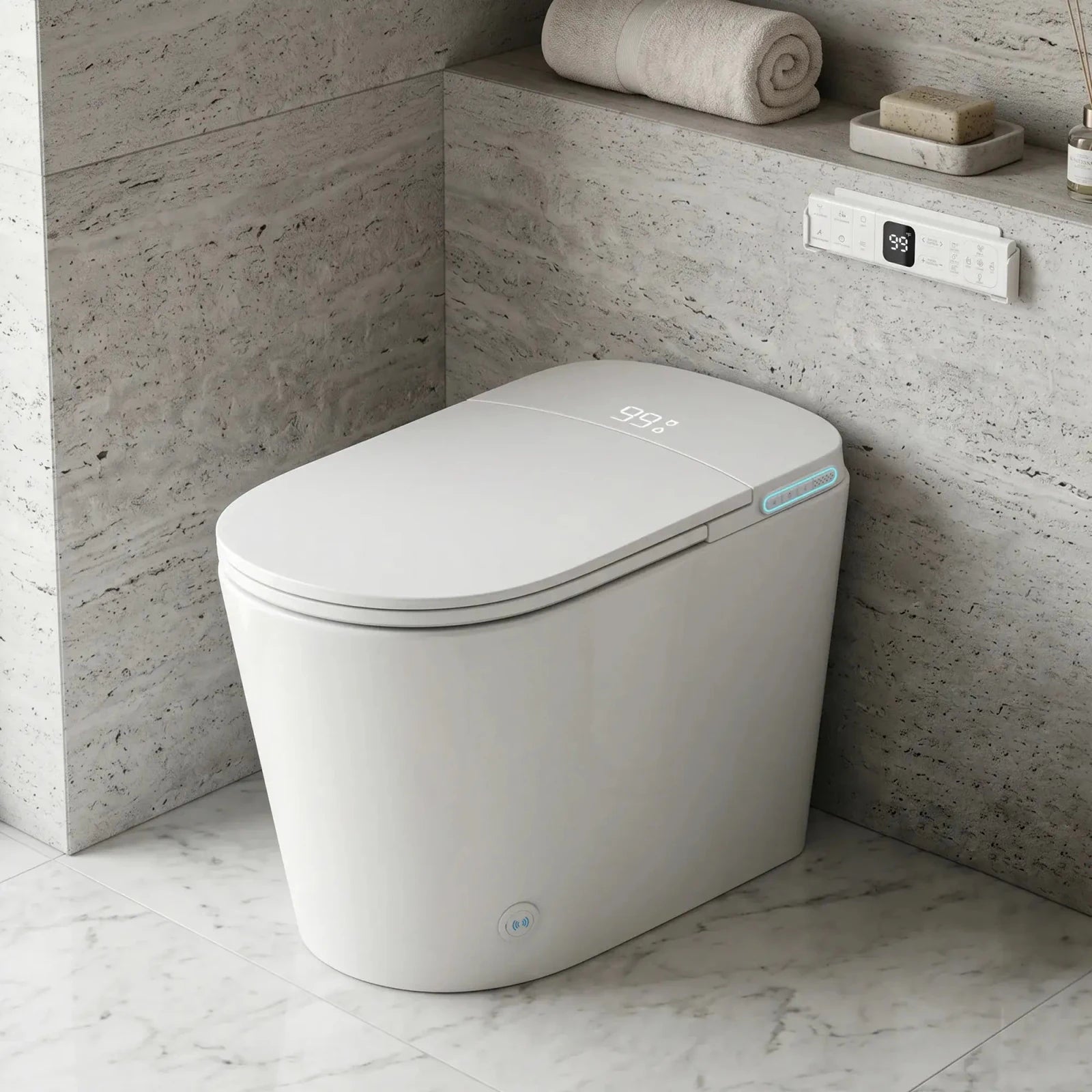
For the Lefton ST01, current Lefton documentation lists AC 110-120V/60Hz, 1250W rated power and a water-supply range of 17.4-87 PSI with at least 5.3 GPM specified. The product has a built-in tank and describes automatic, foot-sensor, remote and side-button flush controls. Those details help an owner report which utility or control was available; they do not identify a failed part.
The ST01 also includes a backup battery box intended for emergency flushing, with batteries not included. Treat it only as the documented emergency-flush provision. It is not described as backup power for washing, heating, drying, lid or sensor functions.
What to Send Support
- Model and serial information requested by the manufacturer.
- Exact error code, light pattern or display message.
- Which controls and functions still work.
- When the symptom began and whether it followed an outage, shutoff, cleaning or plumbing work.
- Clear photos or a short video that does not require approaching water near electricity.
- Actions already taken from the manual and the result of each one.

Frequently Asked Questions
How do you reset a smart toilet?
Use only the reset or power-cycle procedure in the exact model manual. Do not guess a button sequence or repeatedly reset a GFCI or breaker. If there is water, heat, odor, damage or repeated tripping, stop and call a professional.
Why is my smart toilet not flushing?
Possible categories include lost power, interrupted water, a control or sensor issue, an incomplete refill, a drain blockage or an internal fault. Stop if the bowl rises. Otherwise record which approved flush controls respond and give that information to support.
Why does my smart toilet have no power?
Start with a household outage and a dry, visible connection check. A tripped protective device may be involved, but a repeated trip, hot outlet, damaged cord or wet area needs an electrician or authorized service rather than repeated resets.
Can I use a smart toilet during a power outage?
It depends on the model. Some have a manual or battery-assisted emergency flush while powered wash and comfort functions stop. Follow the model's documented outage method. The ST01 backup battery box is intended for emergency flushing only.
When should I call smart toilet service?
Call promptly for leakage, electrical warning signs, repeated protection trips, overflow risk, a suspected blockage, an error that the manual assigns to service, or any task requiring covers, wiring, pressurized connections, pumps or valves to be opened.
Smart Toilet Troubleshooting: Final Verdict
Good troubleshooting narrows the problem without creating a new one. Start with safety, identify the exact symptom, check only dry external power, water, settings and controls, and use one model-approved reset if appropriate. Stop at leaks, electrical warnings, rising water, repeated faults or any internal repair.
For ST01-specific controls, outage steps and approved maintenance, open the current Lefton User Manual & Videos page before taking further action or contacting support.
Comparte esto
Publicaciones populares





Deja un comentario